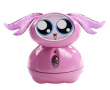
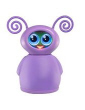
This instructional video provides tips & tricks to help you play with Fijit Friends!
Talking tips make it easy to chat with your Fijit Friend!
She appears to reset herself.
Did you replace her batteries? The batteries included are for demonstration purposes and should be replaced with 5 new alkaline "AA" batteries.
What should I say to my Fijit Friend™?
When you first turn her on, she will greet you and ask you "What do you want to do now?" This means she is in Home Mode and is ready to interact with you!
- If you feel like rocking out, say "Dance with me."
- When she asks if you want to listen to your tunes or hers, let her know by responding "Mine" or "Yours."
- If you're in the mood to talk, say "Chat with me." As you answer your BFF's questions you will likely hit upon words that she recognizes, causing the conversation to seem natural and comfortable… just like it should with your best friend! Your bestie loves surprising you with her hilarious responses!
- If she asks about the weather, you can let her know if it’s “Hot,” “Cold,” “Rainy,” “Snowing,” “Warm” or “Sunny.”
- If she asks about your feelings, you can let her know if you feel “Great,” “Sleepy,” “Sad,” “Bored,” “Happy” or “Fine.”
- If she asks you a general question about what’s going on today or what you are up to, you can say “School,” “Nothing,” “Today,” “Tomorrow,” “Weekend” or if you are “Going to” go somewhere.
- If you are up for a laugh, say "Tell me a joke."
- If she decides to tell you a knock knock joke, make sure you respond "Who's there?"
- If you are tired and want her to go to sleep say "Good Night."
- And if she gives you a compliment, it's always polite to say "Thank you."
- When she asks you a question, you can respond with "Yes," "Yeah," "Okay," "Sure," or "No."
- Click here for the (PDF) Keywords Reference Card.
How do I know when to talk to her?
- Whenever her belly light is on, she is waiting for you to speak to her. Of course, you can always press her belly when the light is on too - you never know how she'll surprise you.
- When her belly light isn't on, she's not listening. Think of it as her way of saying, "Talk to the hand"... if she had hands.
How do I get out of a Mode?
Press the Home Button (Home icon) on the back of her head; she will ask, "What do you want to do now?" to indicate she is ready to chat, dance, joke or sleep.
She's not responding to me.
- First, replace the 5 "AA" batteries that were included with purchase with 5 new alkaline "AA" batteries.
- Make sure that the power switch is in the "On" position "-". She will not respond to you when she is turned "Off" or in the "Try Me" mode.
- She understands you best when you speak clearly! Also, speak up... but don't yell at her because that hurts her feelings!
- Make sure you say the entire phrase listed on the Reference Card (or the Cheat Sheet). For example, say "Dance with me," instead of just "Dance".
- When her belly is lit, she is ready and excited to listen to whatever you have to say.
- But when her belly is not lit, she's not ready to hear you... she'll probably be singing or talking or getting ready for all the fun stuff you'll do together later!
- Make sure there isn't a lot of background noise when you're chatting... she wants to be able to focus on you without distraction!
- She also responds best to what you're saying when you're 1-2 feet away (30-60 cm)... but don't forget to hug and tickle her now and then!
If there are any issues, please call: 1-888-892-6123. Outside the US, please consult the listings at the end of the instruction manual.
My Fijit Friend™ isn't spinning and/or seems to be slow.
- Your Fijit Friend™ dances best on hard surfaces.
- If the interactive figure malfunctions, try resetting the unit by flipping the on/off switch to "off," wait 5 seconds, and then back to "On."
- Have an adult check the battery installation and replace them if necessary. See the instruction manual for more details.
- BATTERIES SHOULD BE CHANGED WHEN SOUND DISTORTS OR SOUND MALFUNCTIONS.
What do the buttons on the back of her head do?
- The Home Button (Home icon) is the button on the left side when you are looking directly at the back of her head. When you press it she will say, "What do you want to do now?" to indicate she is ready to chat, dance, joke or sleep.
- The Chirp Button (Chirp Icon) is the button on the right side when you are looking directly at the back of her head. When you hold it down for 3 seconds, she will listen for a "Sonic Chirp." That means that she can unlock secret codes that are hidden in external sound sources, such as in the "Secret Extras" section of this website... and she reacts to them!
What is Chirp Mode and how does it work?
- Fijit Friends™ can detect codes (“sonic chirps”) coming from an external sound source, which will trigger a response from your Fijit Friend™.
- When your Fijit Friend™ hears the sonic chirp, she may dance, sing or joke with you! She loves surprising you with what she can do!
- Currently your Fijit Friend™ interactive figure can respond to chirps emitted on FijitFriends.com. Unlock these fun and surprising interactions by clicking on the “Discover Chirps” section of this website.
- After your Fijit Friend™ is turned “On,” simply hold down the Chirp Button (Chirp Icon) on the back of her head for 3 seconds. When you hear a “boop” sound and her Belly Button light blinks, it means she’s listening for a sonic chirp.
- The sonic chirp can work up to 20 feet away. If you have trouble getting your Fijit Friend™ to respond to a chirp, try adjusting the volume on your computer.
- To exit Chirp Mode, press her Belly Button light or click the Home Button (Home icon) on the back of her head.
Will my Fijit Friend™ recognize my voice when she's in Chirp Mode?
When your Fijit Friend™ is in Chirp Mode, she is only listening for sonic chirps and will not respond to your words.
How do I get out of Chirp Mode?
Simply press her blinking Belly Button light, or press the Home Button (Home icon) on the back of her head, to exit Chirp Mode.
How does the beat detection work?
- When you are in the “Dance With Me” Mode, she will ask if you want to dance to your tunes or hers.
- When you respond by saying “Mine,” she will listen for your music. Put on any type of music you want. Your Fijit Friend™ will listen for the beat for 5 seconds and then start rocking out! She will adjust her timing to match your music.
- If you see her pause, she is just detecting if the music is still playing and will start dancing again when she hears it!
Where can I buy a Fijit Friend™?
The Fijit Friends™ are available at all major retailers, including: Mattel Shop, Walmart, kmart, Target, Toys 'R' Us, and Amazon.com
Does she work with different accents?
Yes, her voice recognition has been optimized to work with a variety of accents.
Do other ears fit my Fijit Friend™?
Sure do! The ears of all of the Fijit Friends™ are interchangeable! There are also Accessory Packs available so you can give your Fijit Friend™ a fresh ear-do whenever a new ear-mood strikes you (Accessory Packs are sold separately and subject to availability).
How do I clean my Fijit Friend™?
Your Fijit Friend™ is surface-washable only. It is best to clean her with a moist, lint free cloth (water only). Do not use cleaning solutions.
What is the best way to store my Fijit Friend™?
- If you are not going to be playing with your Fijit Friend™ for an extended period, make sure she is stored in the upright position.
- When she is performing a routine, wait for her to finish and she will end it standing upright; then slide her on/off switch to the "off" position. You can also manually straighten her, if needed.
- Store her in a dry, safe place.
What type of batteries does my Fijit Friend™ need?
She requires 5 "AA" batteries. For longer life use only alkaline batteries. Please dispose of batteries safely. See the instruction manual for further details.
Product Height
Approximately 8.6 inches
Product Weight
Weight 1.6 pounds
Package Size
10.5 inches left/right by 9.74 inches top/bottom by 4.875 inches front/rear
Word recognition
Fijit Friends™ can identify approximately 30 phrases
Internal Speaker and Memory
Over 5 minutes of music, speech, and SFX
Beat Detection
• Recognizes and dances to external music
• Identifies music beat and adjusts dance timing
Animation
Elastic skin and soft body create unique, organic animation
Unique glowing face display
Bright, multi-color face display
Sonic Chirp modes
Fijit Friends™ can detect codes coming from an external sound source, which will trigger a response. This code could be added to webisodes, commercials, TV shows, DVDs and more.